First aid: Is the drive clicking, beeping, dropped, or disconnecting? Switch it off and do not connect it again. Free consultation: 722 150 150
Free diagnostics · price quoted in advance · no data = CZK 0

Data recovery from HDD, SSD, flash, NAS and RAID

Has your storage device stopped working, disappeared from the system, started asking to be formatted, or have you accidentally deleted important files? First we will tell you what not to do now. Then we perform free diagnostics and only start paid data recovery after your approval.

Laboratory in Prague 3 Devices accepted from all over the Czech Republic Personal delivery, courier or post

Fast preliminary assessment without unnecessary waiting

Briefly describe the device type, symptoms and what happened before the data loss. Based on that, we will recommend the safest next step.

  • media type: HDD, SSD, flash drive, card, NAS or RAID,
  • symptom: clicking, RAW, format prompt, drop, deletion,
  • whether the medium was powered on again or repaired after the failure.
Call 722 150 150

Three rules that protect your data right now

With a damaged medium, the greatest risk is often not the original failure itself, but further attempts to start it, repair it or recover data using unsuitable software. If you are not sure, get advice first. A detailed guide is available in the article First aid after acute data loss.

Switch the device off

Do not continue testing a dropped drive, clicking HDD, unreadable external disk or SSD that keeps disappearing from the system. Every additional start may worsen the condition of heads, platter surfaces, electronics or memory cells.

Do not repair the file system

Do not run CHKDSK, do not format, do not initialize the drive and do not overwrite the partition. With a RAW drive, damaged MFT, GPT/MBR or RAID array, blind repair attempts can destroy the original data structure.

Get professional advice

We will discuss what happened, what type of device you have and whether it is safe to continue. We will also tell you when professional recovery does not make economic sense.

The most common situations when clients need data recovery

People usually search by a concrete symptom rather than by technology type. Choose the situation that most closely resembles yours. If you are unsure, call first – further attempts may make the condition worse.

External drive / HDD

The drive does not appear or clicks

Typical after a drop, faulty heads, damaged service area, failed electronics or a problem with a USB bridge.

External drive data recovery →
RAW / format prompt

Windows asks to format the drive

Often caused by a damaged file system, bad sectors, MFT damage, GPT/MBR errors or unsafe disconnection.

Damaged file system →
SSD / NVMe

The SSD suddenly disappeared or stopped responding

With SSDs, both time and the next handling steps matter. Risks include the controller, firmware, NAND degradation, encryption and TRIM.

SSD data recovery →
Deletion / quick format

Data was deleted or the drive was formatted

Do not save new data to the same medium. With SSDs the situation may be worse because of TRIM; with HDDs the amount of overwritten data is decisive.

Deleted file recovery →
NAS / RAID

The NAS reports a degraded or unreadable array

Do not rebuild the array, do not change the disk order and do not initialize the volume. With RAID, preserving the original disk state is essential.

RAID data recovery →
Photos / cards / flash

The memory card or USB flash drive cannot be read

Proper diagnostics of the controller, NAND memory and file system helps. If the photos are important, stop using the card immediately.

Memory card data recovery →

We recover data from common and complex storage devices

Each type of medium behaves differently. With mechanical HDDs we deal with heads, platter surfaces and service area. With SSDs and flash media, we work with controllers, NAND memory, firmware, encryption and block mapping. With RAID and NAS, correct reconstruction of the original array is also essential.

From first contact to recovered data in four steps

The process is simple and controlled. First we gather information, then we perform diagnostics, and only after your approval do we continue with paid recovery. The individual stages are described in the article How data recovery works.

  1. Contact and recommendation

    You describe the failure, the device type and the circumstances of data loss. We immediately tell you what not to do with the medium and how to deliver it safely.

  2. Free diagnostics

    We verify the cause of the failure, the technical feasibility of recovery and the risks. For more complex cases, we recommend a suitable procedure.

  3. Price for approval

    You know the recovery price in advance. We start paid work only after your approval. If recovery is unsuccessful, you pay nothing.

  4. Data handover

    Recovered data is handed over on a new medium or as agreed. You get time to check the result and create your own backup.
How to safely deliver a damaged HDD, SSD, NAS or memory card to us

Our laboratory is in Prague 3, but we accept devices from all over the Czech Republic. Before shipping, it is best to call or submit a request – with some failures, another power-on attempt or unsuitable packaging can reduce the chance of recovery.

In person in Prague 3

You can deliver the device by appointment to Prokopovo náměstí 8. Personal delivery is especially suitable for urgent cases, business jobs or more complex RAID/NAS storage systems.

Tip: with RAID/NAS disks, do not change the disk order and ideally label them according to their positions in the original device.

Courier or post from anywhere in the Czech Republic

An external drive, SSD, USB flash drive or memory card can be safely sent by a carrier. The medium must be firmly fixed, protected against impact and must not move freely inside the box.

Guide to safe device shipping

Pickup or individual arrangement

For business, express and larger cases, we can agree on an individual procedure. The most important thing is not to continue uncontrolled repair attempts, rebuilds, initialization or formatting.

Contact information and opening hours

First free diagnostics, then a specific price

Data recovery cannot be priced honestly from the sentence “the drive does not work”. The same symptom may mean a lower-cost logical issue, but also damaged heads, service area failure, NAND memory problems or a complex RAID array.

  • Diagnostics are free and non-binding.We assess the failure without you paying anything.
  • We quote the recovery price in advance,after identifying the concrete cause of the failure.
  • Without your approvalwe do not start paid recovery.
  • If we do not recover the data,you pay nothing for the unsuccessful attempt.
  • Express 24/7 modefor business and critical cases.

When recovery is usually feasible and when the risk increases

Honest diagnostics are useful because the same symptom can have a completely different cause. Some situations are usually well manageable, while others require immediate power-off and a careful laboratory procedure.

Often a good chance

Deleted data or quick format on a classic HDD without further writing, damaged file system, faulty USB connector, unreadable partitions or an external drive that appears as RAW after unsafe disconnection.

Caution required

A dropped drive, clicking HDD, bad sectors, slow reading, SSD with intermittent detection, BitLocker/APFS encrypted volume or NAS/RAID after disk replacement. Further attempts may make the situation worse.

Higher risk of failure

Overwritten data, SSD left running after deletion or formatting because of TRIM, CHKDSK run on a RAW partition, unprofessionally opened HDD, or RAID after failed rebuild and changed original disk order.

In data recovery, trust is as important as technology

You often entrust us with personal photos, company accounting, work projects or sensitive documents. That is why the entire process must be clear, secure and fair.

2003

specialized in the field

Data recovery is our only specialization, not an add-on to a general repair service.

CZK 0

for unsuccessful recovery

If we do not recover the data, you pay nothing – not even for diagnostics.

5.0

from 115 Google reviews

Publicly verifiable feedback from real clients.

24/7

urgent consultation

For critical cases, we advise quickly so the condition does not worsen.

Specialized laboratory in Prague, devices accepted from all over the Czech Republic

MyBlueDay has operated in Prague since 2003. We accept damaged storage devices personally in our Prague 3 laboratory, and we also routinely handle cases sent by courier or post from across the country. Before sending a device, we recommend a short consultation so that the medium is packed and delivered safely according to the type of failure.

A specific specialist on the phone and at the workbench

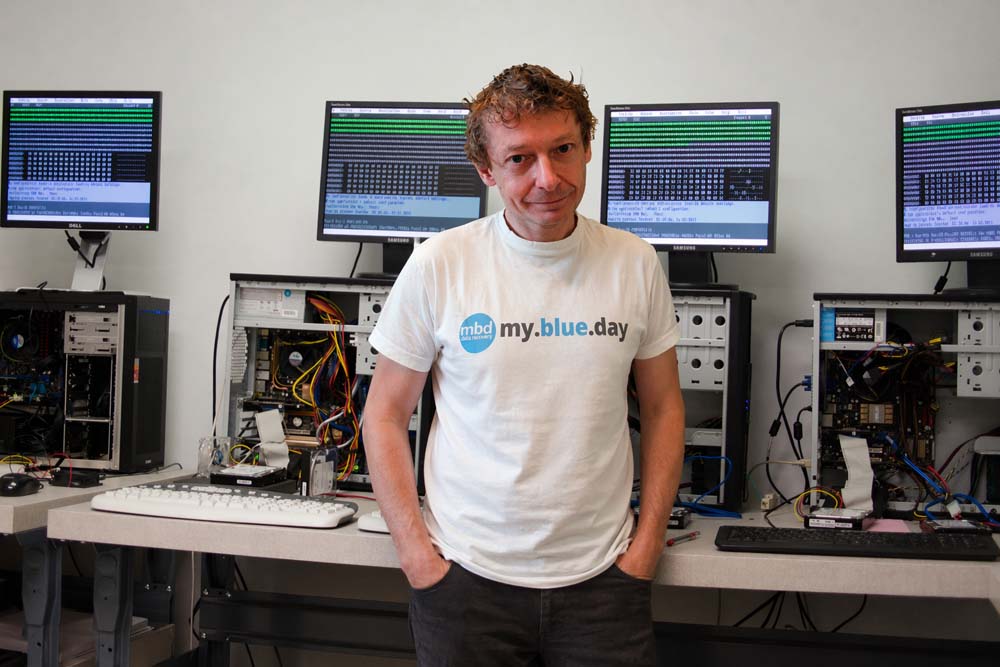
Jakub Jelínek in the MyBlueDay data recovery laboratory working on data recovery

Jakub Jelínek

Founder and chief laboratory technician

I have worked in data recovery for more than twenty years. Every case starts with a phone call – first I ask what happened, and then I explain openly what can realistically be expected. If there is a cheaper solution or the chances are low, you will know before we start work. In this field, honesty matters more than marketing.

20+ years of experience HDD · SSD · RAID · NAS · flash BitLocker, encrypted drives More about us

Clients mainly appreciate fair communication

5.0 from 115 Google reviews

Publicly verifiable customer rating on the company’s Google profile. The excerpts below are English translations of original reviews.

★★★★★
Mr. Jelínek is the greatest IT magician under the sun. My entire SSD was accidentally overwritten in a rather obscure and complicated way, and he managed to recover all of the data. The friendly, fast and professional communication was an excellent bonus…
Tereza Bonaventurová
SSD, accidentally overwritten data
Google
★★★★★
They saved my entire life from an HDD that I had formatted and lost everything from. The price was excellent compared with others, and the professional yet human approach was beyond words. The analysis was done, the result explained by email…
Denisa Hrehová
HDD, accidentally formatted
Google
★★★★★
Complete satisfaction. I lost all data from my GoPro and some of it was unfortunately overwritten, yet I still got most of my videos back. Professional approach and great communication – I can only recommend them. Thank you again.
Šárka Jodlová
GoPro, memory card
Google
★★★★★
Absolutely top-level service and approach. The data was recovered even from a fairly damaged USB flash drive. Above standard was the very helpful communication from the company owner, who explained everything clearly even for a non-technical user.
Michal Surgot
USB flash drive, damaged medium
Google
★★★★★
I found MyBlueDay by chance online, and I think it was fate. I had a damaged SSD from a MacBook that another diagnosis described as dead. Mr. Jelínek found that the drive was not dead and still contained data. Although my case was not simple…
Natalie Ahafonava
MacBook SSD
Google
★★★★★
MyBlueDay is a solid company that diagnoses the problem on your disk and the possibilities of data recovery quickly and free of charge. Their approach and experience turn the panic of data loss into calm and perspective. I also appreciate their communication…
Petr Oukropec
free disk diagnostics
Google

Concrete failures, concrete procedures, concrete results

Real case examples help clients recognize that their problem is not unique. They also show the difference between logical recovery, work with damaged hardware and complex NAS/RAID cases. More examples are available in the case studies and completed recoveries section.

NAS / RAID

Seagate IronWolf Pro 4 TB with progressive performance degradation

A typical course of gradual enterprise drive failure in a NAS array. Symptoms detected in time allowed safe data reconstruction outside the original device.

Full case →
External HDD

WD Elements with a broken USB connector

Direct reading of the drive’s data area after mechanical damage to the enclosure and USB-SATA bridge. The data was recovered without loss.

Full case →
RAID 0 + BitLocker

Dell Vostro with two NVMe drives and BitLocker

Recovery of deleted data from an encrypted RAID 0 array. The demanding combination of software RAID and encryption requires careful reconstruction.

Full case →

Frequently asked questions after data loss

What should I do first when a drive stops working?

Switch the device off and do not continue testing it. Do not connect it repeatedly, do not run CHKDSK or any disk repair utility, do not format it and do not install recovery software onto the same medium. Call 722 150 150 and we will recommend the safest next step based on the symptoms. The consultation is free.

How much does data recovery cost?

Diagnostics are always free and non-binding. The price of the actual recovery depends on the type of medium, the cause of the failure and the required procedure. Deleted files, a mechanically damaged HDD, a failed SSD controller and a RAID array are handled very differently.

We quote the concrete price in advance and do not start paid work without your approval. More information is available in the data recovery price list.

What if the data cannot be recovered?

If we do not recover the data, you do not pay for the unsuccessful attempt. We have followed the “No data, no charge” principle for a long time. The purpose of free diagnostics is to determine the realistic chance of recovery and recommend a procedure that makes technical and economic sense. More in the article Unsuccessful data recovery = no charge.

How long does data recovery take?

Standard diagnostics usually take one to three business days. The actual recovery may take from several hours to several days or weeks – depending on the extent of damage, the capacity of the medium and the readability of the data.

For urgent business-critical cases, we offer an express 24/7 mode.

Do you see my personal data during recovery?

During recovery, we focus on technical readability, file system structure and file integrity, not on the personal content of files. We access data discreetly and only to the extent necessary to perform recovery and verify the result. Our technicians are bound by confidentiality and we work in accordance with GDPR. Details are available in our privacy policy.

How can I deliver a damaged device to you?

You can deliver the device personally to our laboratory at Prokopovo náměstí 8, Prague 3, send it by a standard carrier (PPL, Zásilkovna, Czech Post) or arrange a pickup depending on the situation. We recommend calling before shipping – we will advise you on safe packaging according to the type of failure. A practical guide is available in the article How to safely send a device for data recovery.

Do you recover data throughout the Czech Republic?

Yes. Clients send devices to us from all over the Czech Republic and Slovakia. Our laboratory is located in Prague 3 at Prokopovo náměstí 8, but the service is also available remotely – simply arrange delivery by a carrier or pickup. We serve clients from Prague, the Central Bohemian Region and other regions.

Is HDD data recovery different from SSD data recovery?

Yes, these are technologically very different tasks. With a mechanical HDD, we deal with the condition of heads, platter surfaces and service area. With SSDs and flash media, the key issues are the controller, NAND memory, firmware, encryption and block mapping.

With SSDs, time also matters – TRIM can leave more data recoverable if the drive is switched off quickly than after long operation. That is why we always recommend consulting us by phone first.

Have you lost data? Start with a safe consultation.

We will tell you what not to do now, how to deliver the device and when professional data recovery makes sense. The phone consultation is free.

Call 722 150 150 Describe the failure online
Call consultation Describe the failure